Understanding music
Each stem has its own waveform.
You can see the vocal, the drums, the bass, and the rest as separate pictures of the same song. Structure is automatically detected on top of that.
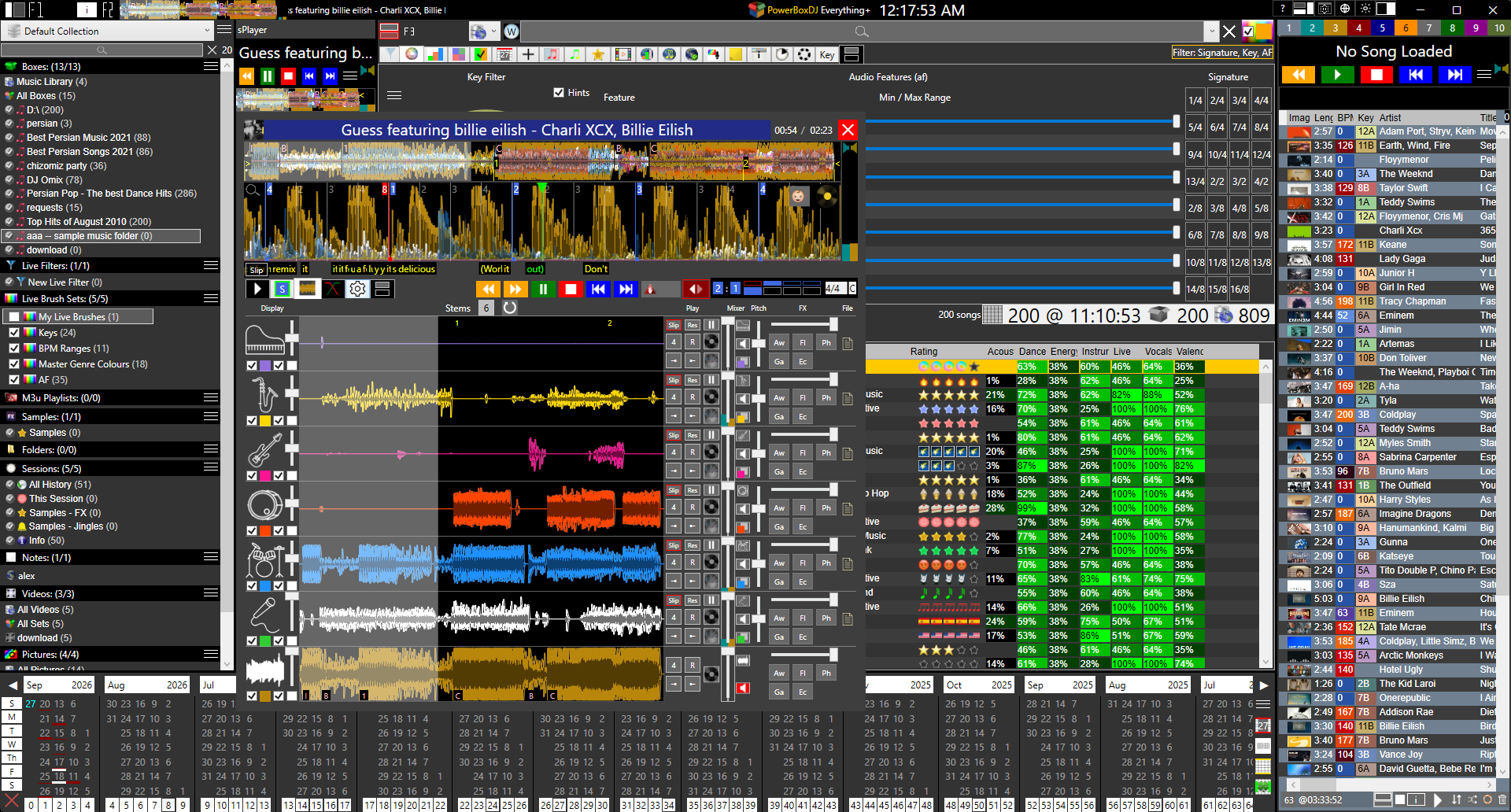
You can see the vocal, the drums, the bass, and the rest as separate pictures of the same song. Structure is automatically detected on top of that.
The song is marked as it is built, not as a guess you type in later. The labels are:
You see where the verse ends and the chorus starts on the wave, per stem. That is how you know what you are holding before you mute it or loop it.

Each stem is its own control, not a mute button on a mix.
Change the signature and the skip and the loop length move with it. The count is the grid you are working in, not a leftover from 4/4 if the part is not 4/4.
This is Full DJ Deck. Professional DJ Player for audio, video, and AI Words to text. Stem count, clone, and Stem Seek are on Advanced Stem Separation History of Stems.