AI Words to text
The DJ sees each word and the moment it will be heard, and can auto-censor before that moment.

A song load reads the words and the timing of each word from the audio already in the library. The DJ sees the word that is about to be heard. The DJ can auto-censor that audio, hide the text, or replace the text. The AI model sometimes does not understand a word and can skip it, ignore it, or get it wrong. The words are text, so the DJ can change the size and the color.
The deck plays the audio. The screen shows the picture locked to the deck with the sound muted. The words wait for AI Words to text mode.
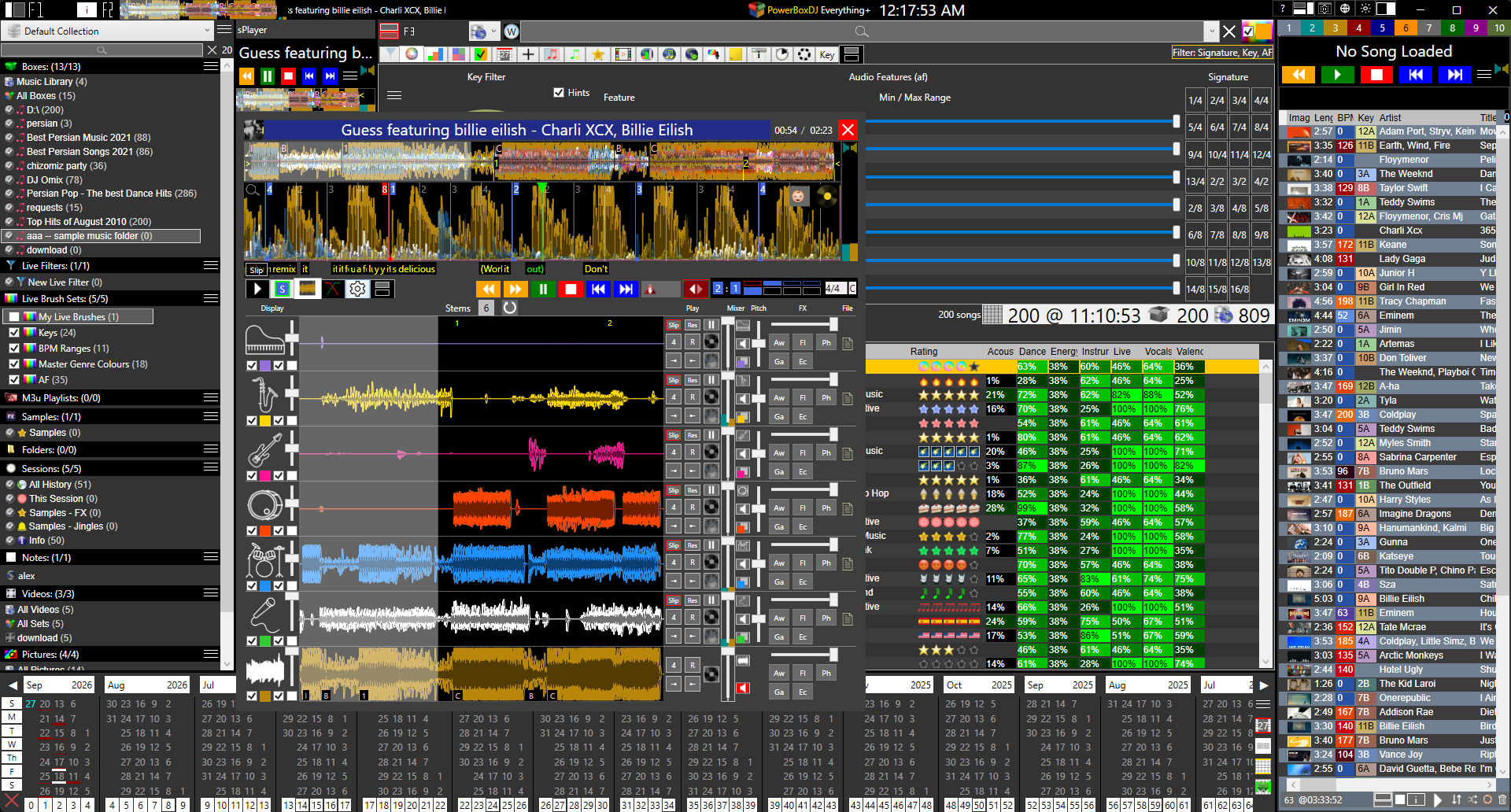
The words go to a secondary screen with a marker showing which word and when. The DJ sees the current word and the words that are about to be heard. There is also a countdown for when the next Verse, Chorus, or Breakdown Rap will begin.
The DJ can customize everything. Background can be an image, a music video, some other video, or a solid color. DJ can also set text size and font color. The DJ can also show/hide QR, message, time, ticker, Upcoming, and more.
The system can also differentiate between parts of a male singer and a female singer.
Female parts are underlined.
Turn the vocal split on and a song load runs it after the stems. Female lines are underlined on the screen. Turn it off and the vocal stays one part.
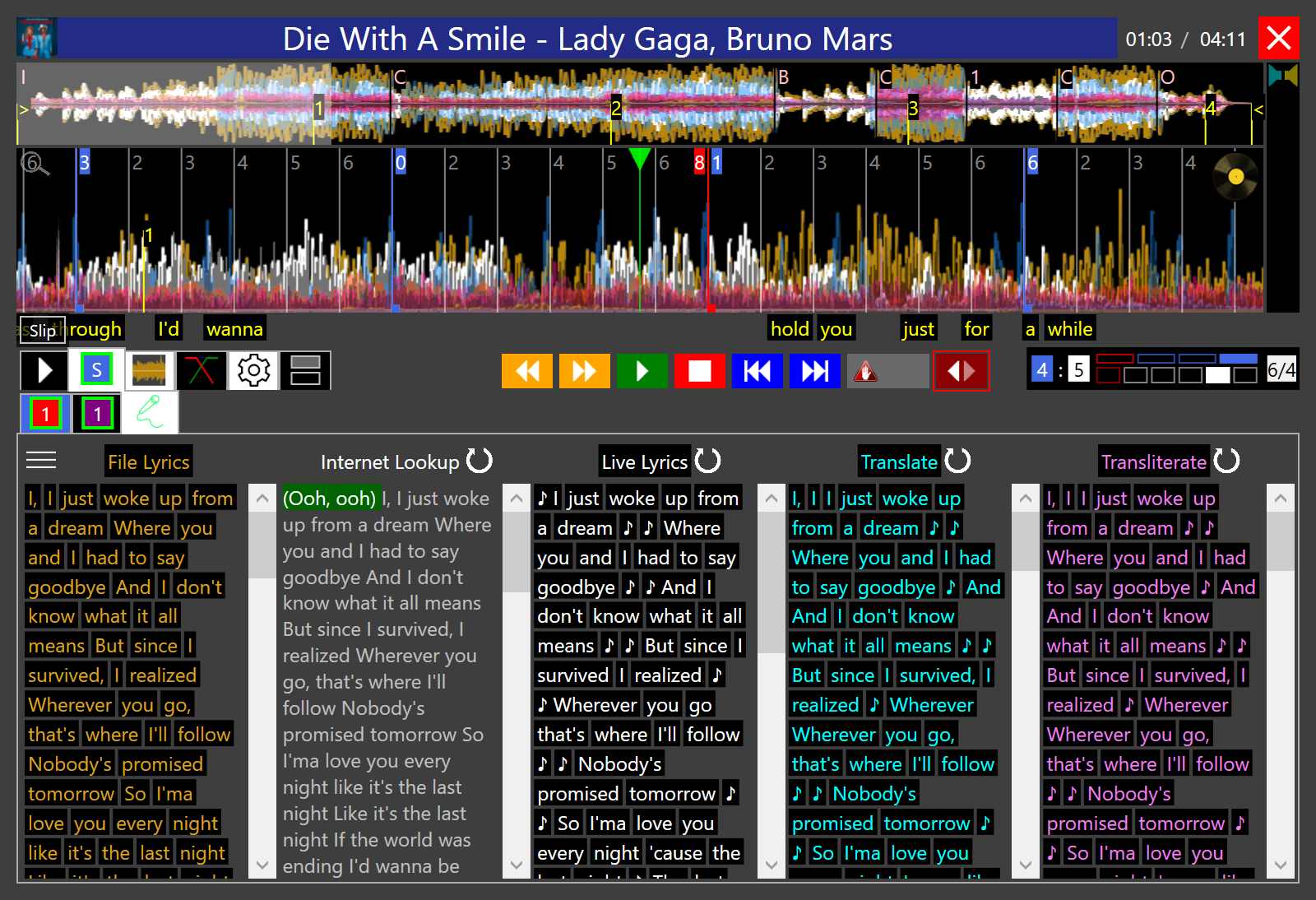
A song load gets the words and the timing of each word on its own, for every audio format. The lyrics are derived from the internet. In addition to that AI stem splitter separates the audio into vocals and instruments. The options for stem splitting is as follows. Advanced Stem Separation History of Stems.
| Fast / Lower Quality | Slower / High Quality | |
|---|---|---|
| 2 | Vocals, Others | Vocals, Others |
| 4 | Vocals, Drums, Bass, Others | Vocals, Drums, Bass, Others |
| 5 | Vocals, Drums, Bass, Piano, Others | |
| 6 | Vocals, Drums, Bass, Guitar, Piano, Others |
A song load splits the stems on its own, then the vocal split if it is on, then the words. AI Words to text prefers 2 stems at high quality. More stems take longer, so 2 is the one to use. Low quality can be 2, 4, or 5. High quality can be 2, 4, or 6. From 2 stems up, one stem is the vocals and the rest are the instruments. The vocal split is a second pass on that vocal stem. It separates the male singer and the female singer.
The DJ can manipulate each stem independently of any other: Volume, Mute, Solo, Key Change with Pitch Shift, Loops, Audio Effects, and more.
The DJ can lower or raise the female vocal, the male vocal, or the original vocal on its own.
The DJ uses the Live Feedback panel to see messages, requests, and votes.
There is an option to show a QR code on the screen. Guests scan it with a phone camera that takes them to the webpage in their phone internet browser, where they interact with the DJ. This does not require any special apps to install.
The first time a guest visits the site, they are asked for their name. The phone internet browser keeps it. The guest can then request a song under that name. When a guest types a song name, the DJ can show a pool of songs, such as Box 1 and Box 2 and NOT Box 3. A song that is not on the list can still be allowed. The DJ has complete control of the entire system.
The request shows up with the guest’s name and the song on the Live Feedback panel. The DJ double-clicks it, and the song moves to the playlist with the guest’s name in the Request column. The playlist also shows a DJ Note column. If a song request is not a song offered by the DJ in the request pool of music, a first match song will appear. The DJ can click on the requested song to paste it into the library and search the entire library for that song.
The DJ approves each song. It stays off the playlist until the DJ puts it there. The DJ also sets how many songs one person can ask for, or leaves that open.
Upcoming songs
Upcoming songs can be seen on the phone internet browser and on the room screen.
| The DJ can show | internet browser | Screen |
|---|---|---|
| Upcoming songs | ✓ | ✓ |
| Requested songs | ✓ | ✓ |
| Votes | ✓ | ✓ |
| Messages | ✓ | ✓ |
| Words | ✓ | |
| QR code | ✓ | |
| Background | ✓ |
The DJ can manipulate any stem on its own, such as key, volume, loop, audio effects, scratch, and more. The DJ sees the words in the player too. From there, the DJ can audio censor with reverse, slip, play, or scratch, or with a slip hot cue censor. The DJ can also text censor by hiding the text, or by replacing it with certain characters.